


-
대학소개大学介绍About College
대학소개
About College
국민대 경영대학은 혁신을 주도하여 기업과 사회에 새로운 물결을 창출할 수 있는 창의적이고 특성화된 글로벌 인재를 양성하는 교육·연구기관입니다.
Kookmin University’s College of Business Administration is an educational and research institution that cultivates creative and specialized global talents who lead innovation and generate new waves in business and society.
-
학부学部Undergraduate Programs
학부
Undergraduate Programs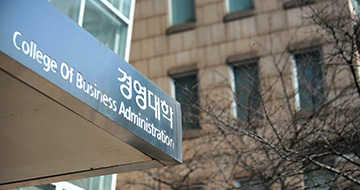
상아탑 속의 학문추구가 아닌, 기업과 사회의 요구에 부응할 수 있도록 다양한 실무경험을 제공하는 5개의 학부와 8개의 전공으로 구성되어 있습니다.
Rather than ivory-tower scholarship, it is composed of five schools and eight majors that provide diverse practical experiences to meet the needs of businesses and society.
-
대학원大学院Graduate School
대학원Graduate School
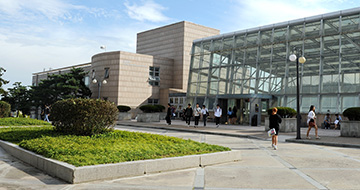
급변하는 경영환경의 트렌드를 예측하고 국내외 환경에 적극적으로 대응할 수 있는 전문인력 양성 기관입니다.
It is an institution dedicated to training professionals capable of forecasting rapidly changing business environment trends and proactively responding to both domestic and international contexts.
-
입학/장학入学/奬学金Admissions & Scholarships
입학/장학Admissions & Scholarships

국민대학교 경영대학은 다양한 장학제도를 통해 “지식” 못지 않게 “경험”이 중요하다는 메시지를 학생들에게 전달하고 있습니다.
Through various scholarship programs, the College of Business Administration conveys to students that “experience” is as important as “knowledge.”
-
대학생활大学生活Student Life
대학생활Student Life

자기만의 자랑스러운 이야기를 들려줄 수 있는 인재가 되도록 저희 경영대학과 “경험의 놀이터”에서 가득 찬 미래를 꿈꾸어 보세요.
Dream of a future filled with our College of Business Administration and its “Playground of Experience,” where you become the talent who can share your own proud story.
-
알림마당通告Announcements
알림마당Announcements

국민대학교 경영대학은 “혁신을 주도하여 기업과 사회에 새로운 물결을 창출할 수 있는 창의적이고 특성화된 글로벌 인재를 양성하는 교육・연구기관”을 지향합니다.
The College of Business Administration at Kookmin University aspires to be an educational and research institution that “leads innovation and cultivates creative and specialized global talents capable of creating new waves in business and society.”

Quick Menu 설정
※ 퀵메뉴 메뉴에 대한 사용자 설정을 위해 쿠키를 사용하고 있습니다. 메뉴 체크 후 저장을 한 경우 쿠키 저장에 동의한 것으로 간주됩니다.
행정공지
ON국민 포털 로그인 시 2차인증 적용 안내(6/15.월 부터)
- 작성자 한상혁
- 작성일 26.05.27
- 조회수 19459
2026.06.15.(월) 부터 ON국민 포털 로그인 시,
보안 강화 및 개인정보 침해예방 목적으로 기존의 패스워드 외에 PUSH 및 메일로 실시간 동시에 전송되는 2차인증 코드(6자리 숫자)를 추가로 입력한 후 간편하게 로그인이 가능합니다.
가. 배경
- 최근 대학 및 공공기관을 대상으로 빈번한 계정 도용사고 발생
- 정부에서의 법적 정보보호 강화 요구(개인정보보호법 등)
나. 2차 인증코드 6자리 확인방법
다. 사전 협조사항: ON국민 앱 필수설치, 메일 계정정보 최신화(ON국민 포털 - 개인정보 메뉴)
라. 문의처: 정보통신처 (02-910-5632, 4274, 4273)
--------------------------------------------------------------------------------------
** [참고사항] 본교 이메일 이용방법 (본교 이메일을 통한 2차인증코드 확인 등) **
( 이용방법 1 ) ON국민 포털 로그인 > 화면 우측 상단의 'Gmail' 아이콘 클릭 후 이용 (별도의 로그인 과정 필요없음)
( 이용방법 2 ) 구글 Gmail 직접 접속(https://apps.kookmin.ac.kr 또는 https://gmail.com) > 로그인 후 이용
* 아 이 디: 본인의 이메일 계정 (ON국민 포털 ID와는 다름)
* 비밀번호: 본인이 직접 설정한 이메일 전용 패스워드
- ON국민 포털 PW와는 다름
- 비밀번호 변경방법(아래 1 ~ 2 중 택1)
1) ON국민포털 로그인 > 포털 > 웹메일 계정관리 > Gmail 비밀번호 변경
2) 구글 Gmail 로그인 > 환경설정 > '계정정보' 또는 '보안 및 로그인' 메뉴에서 변경
( 이용방법 3 ) 모바일기기(스마트폰 등) 에 본교 이메일 정보 등록 후 이용
ⓒ 2019 Kookmin University. All Rights Reserved.


