


-
대학소개大学介绍About College
대학소개
About College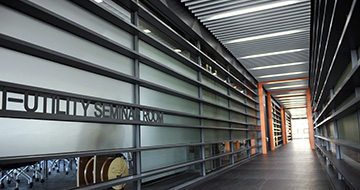
국민대 경영대학은 혁신을 주도하여 기업과 사회에 새로운 물결을 창출할 수 있는 창의적이고 특성화된 글로벌 인재를 양성하는 교육·연구기관입니다.
Kookmin University’s College of Business Administration is an educational and research institution that cultivates creative and specialized global talents who lead innovation and generate new waves in business and society.
-
학부学部Undergraduate Programs
학부
Undergraduate Programs- 경영학부School of Business Administration
- 国际经营专业
- 글로벌경영전공Global Management Major
- 경영정보학부 School of Management Information Systems
- AI빅데이터융합경영학과Department of AI, Big Data & Management
- 기업경영학부School of Corporate Management
- 회계세무학과Department of Accounting and Taxation
- 연계ㆍ융합전공Interdisciplinary & Convergence Majors
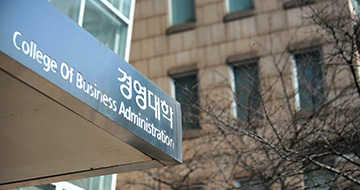
상아탑 속의 학문추구가 아닌, 기업과 사회의 요구에 부응할 수 있도록 다양한 실무경험을 제공하는 5개의 학부와 8개의 전공으로 구성되어 있습니다.
Rather than ivory-tower scholarship, it is composed of five schools and eight majors that provide diverse practical experiences to meet the needs of businesses and society.
-
대학원大学院Graduate School
대학원Graduate School
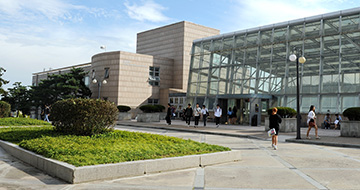
급변하는 경영환경의 트렌드를 예측하고 국내외 환경에 적극적으로 대응할 수 있는 전문인력 양성 기관입니다.
It is an institution dedicated to training professionals capable of forecasting rapidly changing business environment trends and proactively responding to both domestic and international contexts.
-
입학/장학入学/奬学金Admissions & Scholarships
입학/장학Admissions & Scholarships

국민대학교 경영대학은 다양한 장학제도를 통해 “지식” 못지 않게 “경험”이 중요하다는 메시지를 학생들에게 전달하고 있습니다.
Through various scholarship programs, the College of Business Administration conveys to students that “experience” is as important as “knowledge.”
-
대학생활大学生活Student Life
대학생활Student Life

자기만의 자랑스러운 이야기를 들려줄 수 있는 인재가 되도록 저희 경영대학과 “경험의 놀이터”에서 가득 찬 미래를 꿈꾸어 보세요.
Dream of a future filled with our College of Business Administration and its “Playground of Experience,” where you become the talent who can share your own proud story.
-
알림마당通告Announcements
알림마당Announcements

국민대학교 경영대학은 “혁신을 주도하여 기업과 사회에 새로운 물결을 창출할 수 있는 창의적이고 특성화된 글로벌 인재를 양성하는 교육・연구기관”을 지향합니다.
The College of Business Administration at Kookmin University aspires to be an educational and research institution that “leads innovation and cultivates creative and specialized global talents capable of creating new waves in business and society.”

Quick Menu 설정
※ 퀵메뉴 메뉴에 대한 사용자 설정을 위해 쿠키를 사용하고 있습니다. 메뉴 체크 후 저장을 한 경우 쿠키 저장에 동의한 것으로 간주됩니다.
교내채용
교내 무선랜(KMU_WiFi) 연결방법 안내
- 작성자 김선인
- 작성일 26.03.04
- 조회수 2137
교내 무선랜(KMU_WiFi) 연결 방법을 다음과 같이 안내하오니 이용에 참고해 주시기 바랍니다.
1. 무선랜 연결 방법
가. 무선랜 이름(SSID): KMU_WiFi
나. 기기별 연결방법
1) 무선랜 ID: 학번/사번
2) 무선랜 비밀번호: KMU_WiFi 전용 비밀번호
※ https://kookmin.kr/KMU_WiFi 접속 후 최초 비밀번호 등록 후 이용
3) 세부 연결방법은 [첨부파일] 참조
가) Windows: 사용자이름(학번/사번), 암호(무선랜 비밀번호) 입력 후 KMU_WiFi 연결 확인 창에서 "연결" 클릭
나) 안드로이드(갤럭시 등), 리눅스 사용자: CA인증서 "인증 안 함" 선택 → 더보기 → EAP 연결방식 "TTLS"
선택 → 2단계 인증 "PAP" 선택
※ TTLS가 없는 경우: PEAP 선택, PAP가 없는 경우: GTC 선택
다) iOS(아이폰), Mac 사용자: 사용자이름(학번/사번), 암호 입력 후 인증서 "신뢰" 또는 "계속" 클릭
2. 기타사항: eduroam 서비스는 신규 무선랜 서비스의 비밀번호로 이용
※ eduroam의 경우에 무선랜 ID에 @kookmin.ac.kr이 포함되야 함
(입력 예시: 학번@kookmin.ac.kr 또는 사번@kookmin.ac.kr)
3. 문의처: 정보기획팀(내선: 4275, 4277, 5512)
ⓒ 2019 Kookmin University. All Rights Reserved.


